User Safety
Why do I have to worry about Account Security?
Reborn sets up systems and rules to protect players, but they're not responsible for players' actions in or out of the game.
Your account is your responsibility
Never share your password or l2reborn_easylogin.ini file, even with staff members.
l2reborn_easylogin.ini contains all of your passwords.
-
About 2FA
2FA generates a temporary code from your phone when logging into the website.
Essential for account security.
-
Use the Lock System
Locked characters can't trade, sell, modify items or PK.
Commands:
.setlockpw pin- will set pin code to lock & unlock.lock pin- enables protection.unlock pin- disables protection
-
Use Unique Passwords
Use different passwords for different accounts (master, email, servers)
-
Never Share Sensitive Information
Keep your in-game goods and account details private.
Scam Protection
- Report scams - Staff will ban scammers, but resolve disputes before reporting.
Banned accounts cannot return lost items.
High value items may be returned up to GMs discretion. - 2FA + Lock required to:
- See scammer details
- Recover lost epic/high-value items
Captcha System
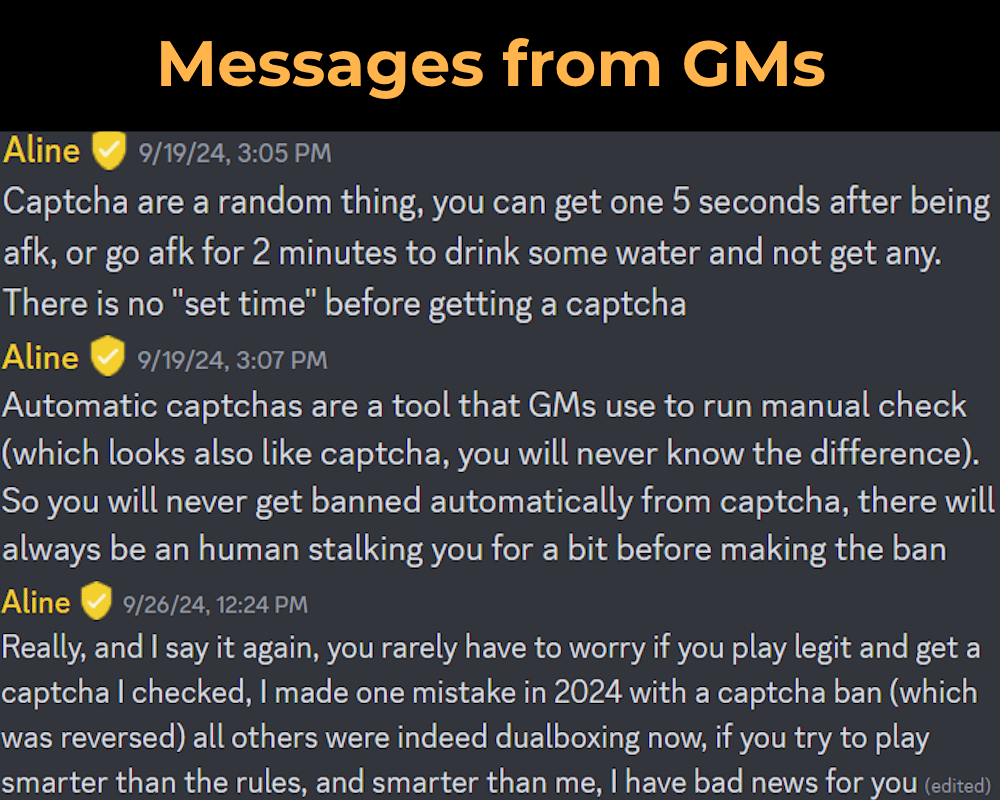
Automatic-captchas trigger randomly when receiving EXP/SP/Adena or being buffed/healed/recharged by other players. Manual captchas are sent by GMs during investigations. Encountering captchas during gameplay is completely normal.
You should relog when you know that you need to be AFK for a while.
Types of Captchas
- Letter Captcha:
- Hit the Correct Letter 3 times consecutively.
- Anti-bot Captcha:
- Short Math: Read the menu and do as it says.
Both Captchas matter, though if you dismiss the Anti-bot Captcha too quickly by accidentally pressing Enter, no need to worry.
Whenever you get a Captcha focus on Solving your own Captcha in party. Do not Trade when Captcha appears, it will show Error until you close the Trade Window.
One Person = One Character
You can only have ONE character logged in per person, no multiple characters or accounts. "I was on another screen" is NOT a valid excuse for failing Captchas.
Multiple people on the same network is fine as long as each person controls only one character and they can solve captchas simultaneously.
What gets you banned
- Illegal software (automatic ban)
- Always being AFK when captcha appears
- Consistently failing manual follow-ups after investigation.
Auto-captcha fails won't ban you automatically, they alert staff for investigation. Occasional misses due to real-life interruptions are understood and expected.
-
-
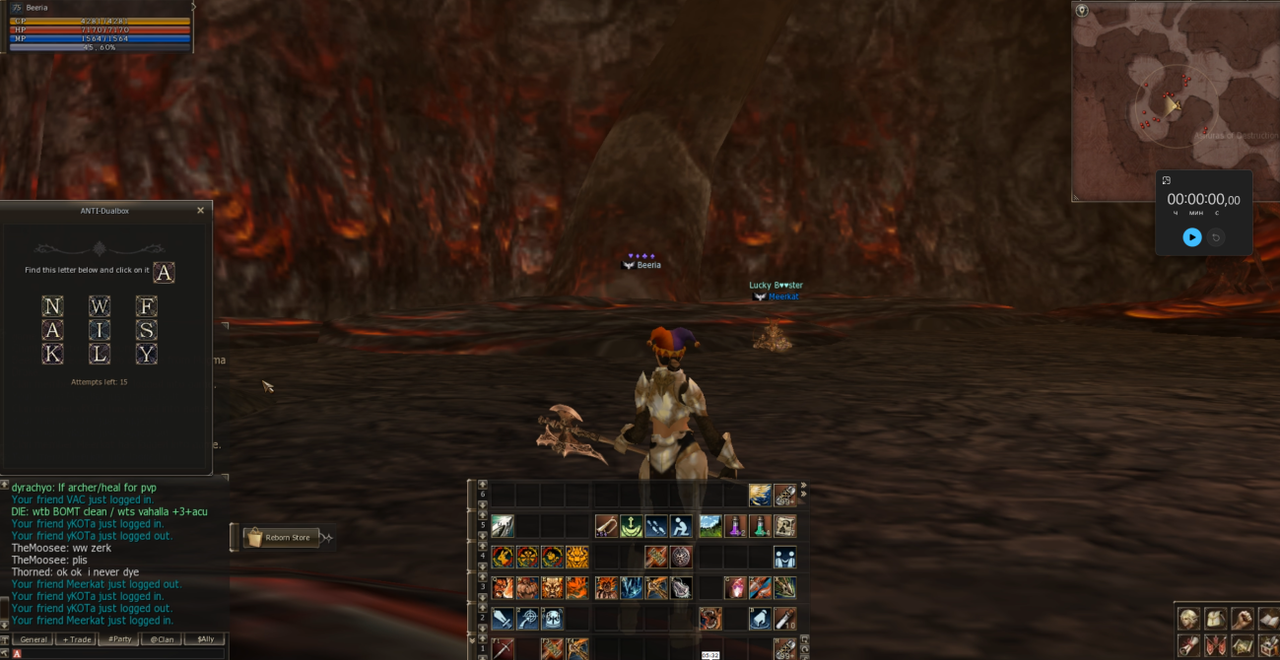
Example of Letter Captcha
Summary
- You are the first line of defense.
- No one, not friends or staff, needs your password.
- Stay skeptical, if something feels off, it probably is.
-
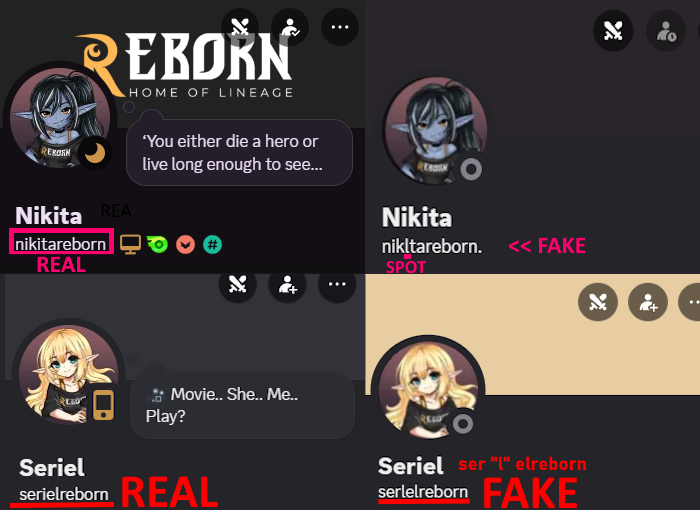
Staff Impersonators -
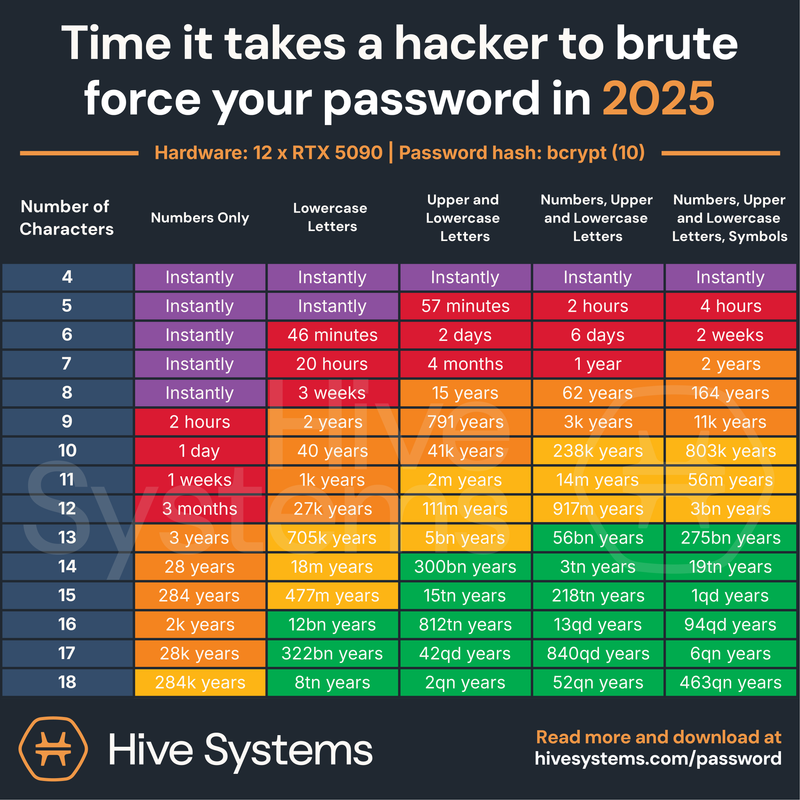
Password Cracking Times