Controls
-
Welcome!
Depending on what race you chose, you are teleported to their Village’s Training Zone.
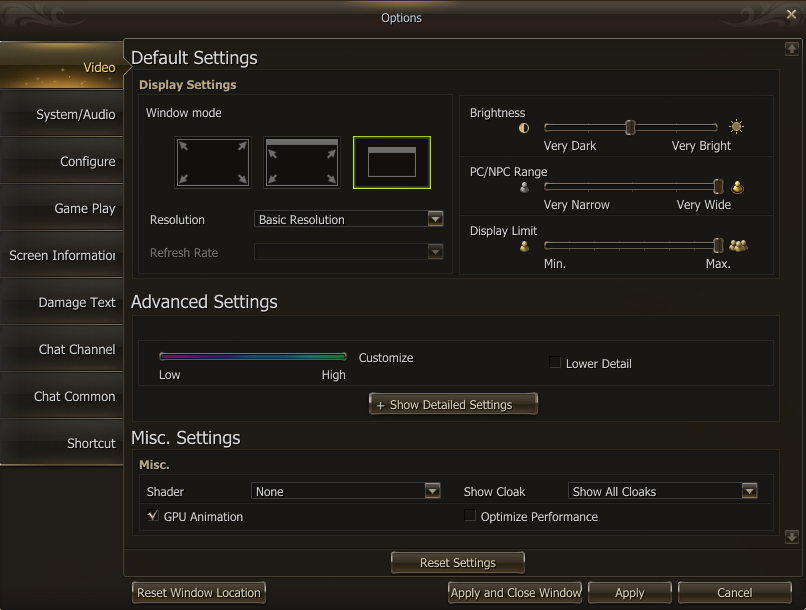
It’s a good time to make adjustments in the settings, press “ALT + Shift + O”
In the video settings, adjust:
- PC/NPC Range & Display to Max
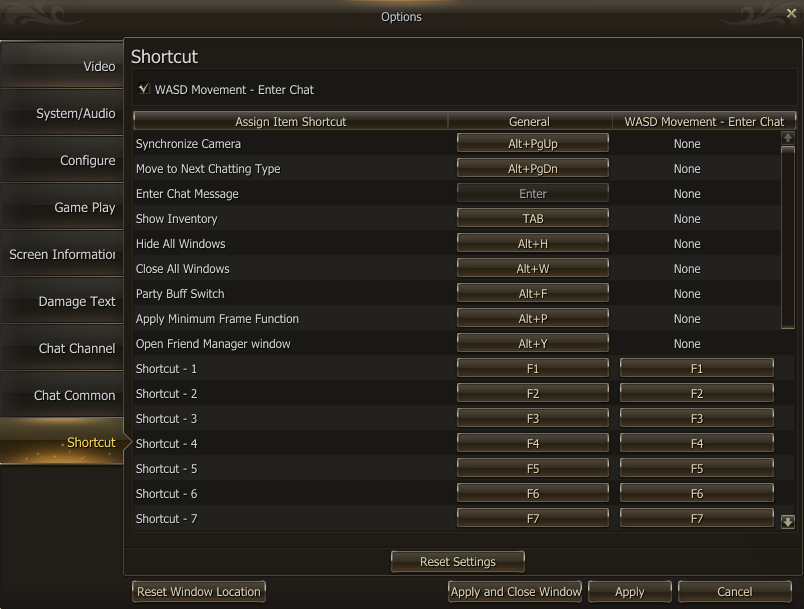
In the shortcut settings, tick:
- “WASD Movement – Enter Chat” at the top
-
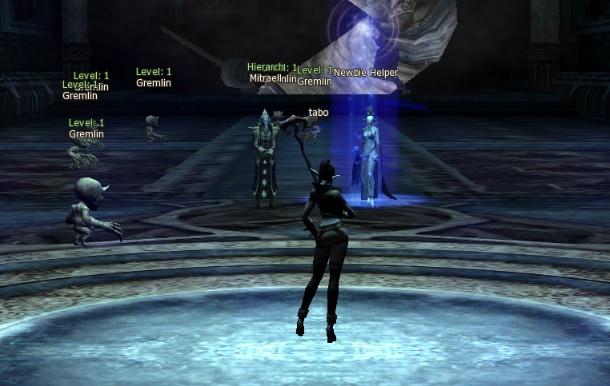
Dark Elf Village Training Zone
Yours can be different, if you are a different race. -
-
If you wish to see some indicators on the screen, tick some options in the "Damage Text Settings" and "Screen Info", Gauge Status Indicator for Player shows your health bar above your character.
You may drag windows around by grabbing the side or the top of the windows' bar.
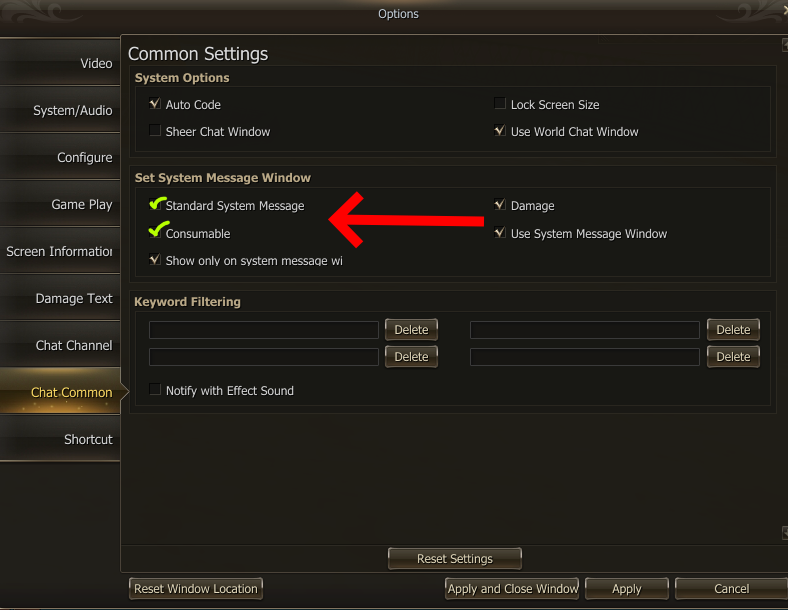
How to enable Loot/Drops messages on Eternal
Look Around!
- Hold your “Right Click” button and move your mouse.
- To move around press “Left Click” on the floor or try pressing W-A-S-D.
- Depending on the server, W-A-S-D might not be that good.
- On Eternal, it's much better if you use "Left Click"
-
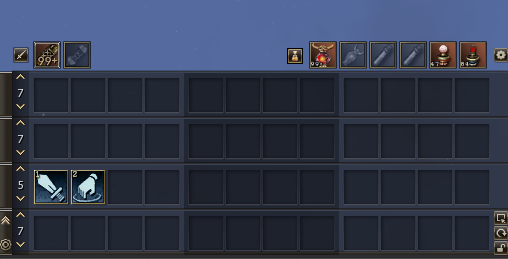
You can drag items, gears, skills as you wish onto your hotbars. 1st row: F1-F12 keys
2nd row: 1-2-3-...-0 keysSoulshots and Spiritshots on Eternal can be activated by "Right Click"-ing above the hotbar in the top left corner
On Other Servers you have to drag it onto your hotbar. Soulshots/Spiritshots increase your damage. -
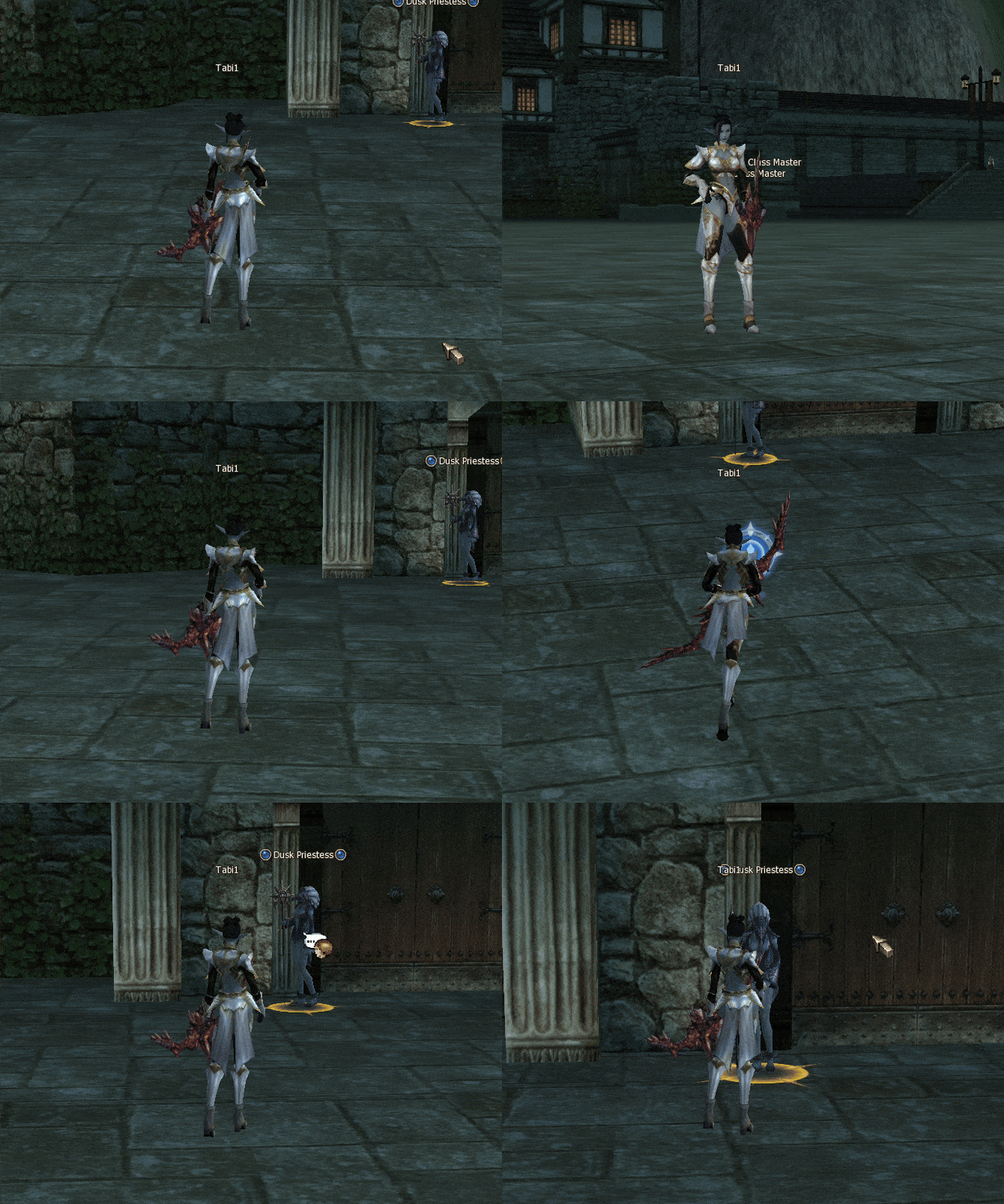
"Right Click" to move Camera
"Left Click" to Move Character
Double "Left Click" to do Physical Attack or Interact with an NPC "Scroll Wheel Up/Down" to Zoom out/Zoom in
Shortcuts
-
"PgDown" zooms out, use it if you wish to have a better field of view.
-
"Tab or V" shows inventory and your gear. On signature, there are no belts or bracelets.
-
"Alt + W" closes all windows, "Alt + H" hides all windows.
-
"Alt + Y" brings up your friends.
-
"C" brings up basic, party, and social actions, take a look around and put some on your hotbar.
-
"Alt + J" hides your chat window.
-
"N" brings up clan menu.
-
"T" shows your character’s stats and social stats.
-
"R" brings up macro menu.
-
"K" brings up skills menu, this is where you can see all of your skills.
-
"M" brings up the map. If you click on "World Info" it will give you hunting zone recommendations.
-
"Alt + Shift + P" brings up your party matching window, make lobbies here and gather up to party.
-
"U" will show your active quests and steps.
-
"X" will show some restart/exit options.
-
"." Mutes the game.
-
"End" turns your camera 180°.
-
"Numlock" makes the character move for you.
-
"Ctrl + T" will change the target mode on /targettext basic action.
-
"Alt + Shift + M" brings up whisper to that targeted player.
Windows
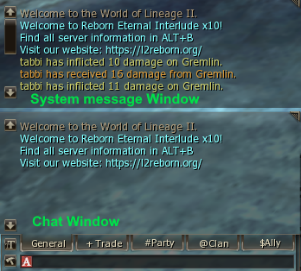
Chat Window: you can write messages here to others
System Message window: certain actions you do are shown here as text.
CP: Combat Points, an additional reserve like HP but only for PvP mode, you don't die if this depletes. HP: Health Points, on reaching 0, your character dies. MP: Mana Points, skills and toggles (self buffs until turned off) cost Mana to use.
You might not be able to chat immediately to prevent other people advertising, on Eternal you can chat on Level 40.